参考StackOverflow: ios - Make a VStack fill the width of the screen in SwiftUI - Stack Overflow
默认效果
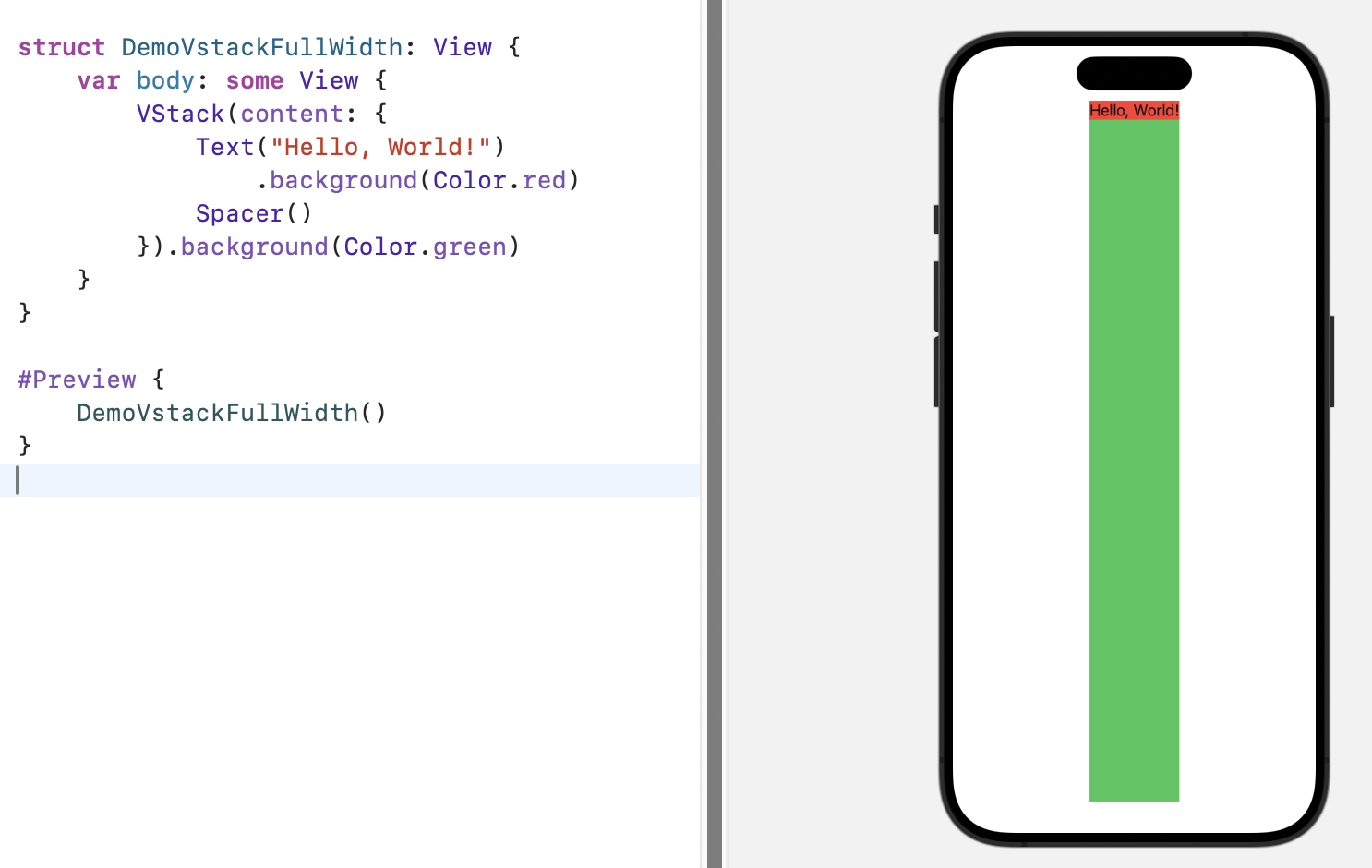
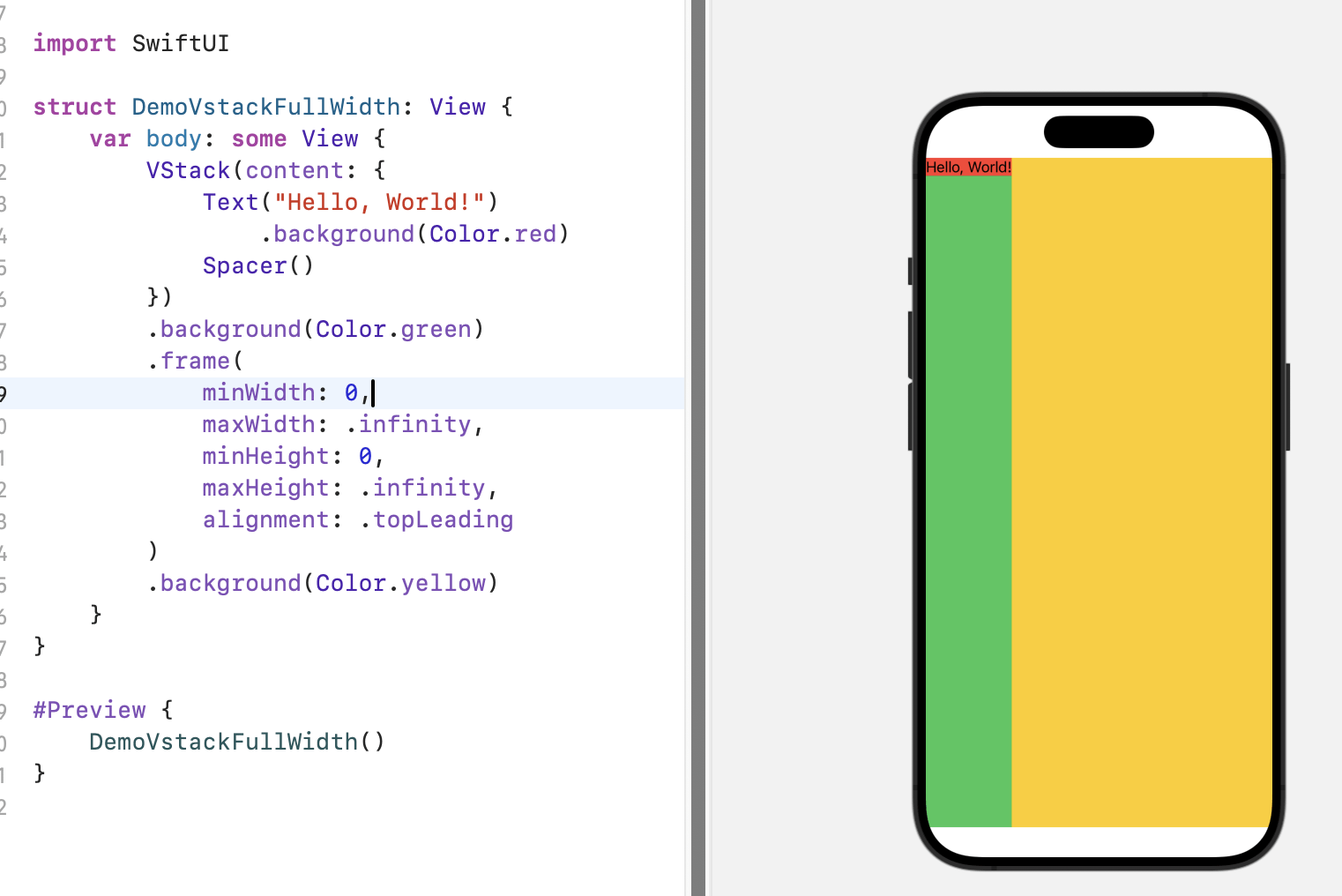
frame
swift
import SwiftUI

struct DemoVstackFullWidth: View {
    var body: some View {
        VStack(content: {
            Text("Hello, World!")
                .background(Color.red)
            Spacer()
        })
        .background(Color.green)
        .frame(
            minWidth: 0,
            maxWidth: .infinity,
            minHeight: 0,
            maxHeight: .infinity,
            alignment: .topLeading
        )
        .background(Color.yellow)
    }
}

#Preview {
    DemoVstackFullWidth()
}
import SwiftUI
struct DemoVstackFullWidth: View {
var body: some View {
VStack(content: {
Text("Hello, World!")
.background(Color.red)
Spacer()
})
.background(Color.green)
.frame(
minWidth: 0,
maxWidth: .infinity,
minHeight: 0,
maxHeight: .infinity,
alignment: .topLeading
)
.background(Color.yellow)
}
}
#Preview {
DemoVstackFullWidth()
}
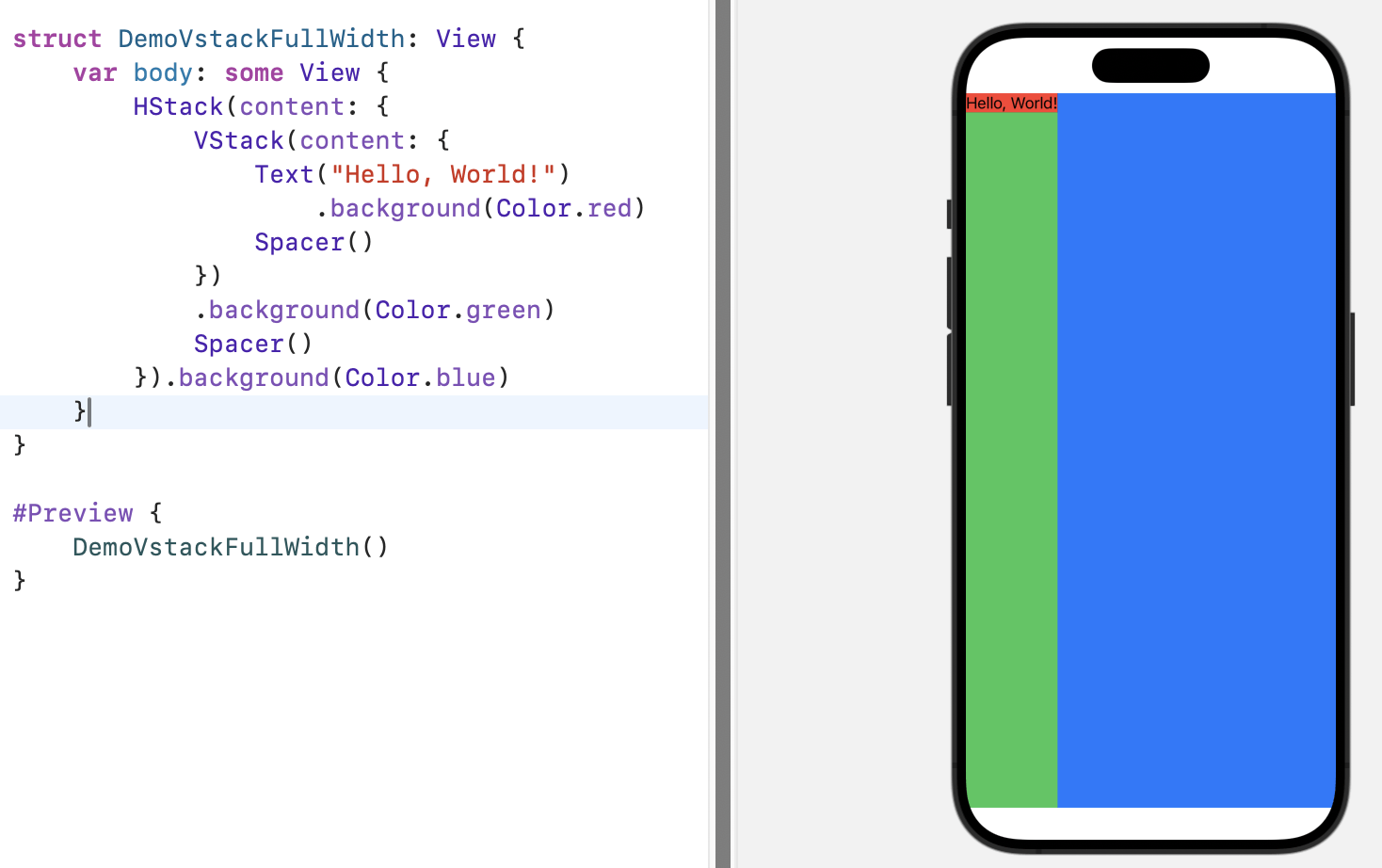
嵌入HStack,再用Spacer填充剩余空间
swift
import SwiftUI

struct DemoVstackFullWidth: View {
    var body: some View {
        HStack(content: {
            VStack(content: {
                Text("Hello, World!")
                    .background(Color.red)
                Spacer()
            })
            .background(Color.green)
            Spacer()
        }).background(Color.blue)
    }
}

#Preview {
    DemoVstackFullWidth()
}
import SwiftUI
struct DemoVstackFullWidth: View {
var body: some View {
HStack(content: {
VStack(content: {
Text("Hello, World!")
.background(Color.red)
Spacer()
})
.background(Color.green)
Spacer()
}).background(Color.blue)
}
}
#Preview {
DemoVstackFullWidth()
}
使用ZStack + Full Size Background View
- embed
VStackinsideZStack(alignment: .topLeading) - add full size background view
swift
import SwiftUI
struct DemoVstackFullWidth: View {
    var body: some View {
        ZStack(alignment: .topLeading, content: {
            Color.blue.frame(maxWidth: .infinity, maxHeight: .infinity)
            VStack(content: {
                Text("Hello, World!")
                    .background(Color.red)
                Spacer()
            })
            .background(Color.green)
        })
    }
}

#Preview {
    DemoVstackFullWidth()
}
import SwiftUI
struct DemoVstackFullWidth: View {
var body: some View {
ZStack(alignment: .topLeading, content: {
Color.blue.frame(maxWidth: .infinity, maxHeight: .infinity)
VStack(content: {
Text("Hello, World!")
.background(Color.red)
Spacer()
})
.background(Color.green)
})
}
}
#Preview {
DemoVstackFullWidth()
}GeometryReader 计算
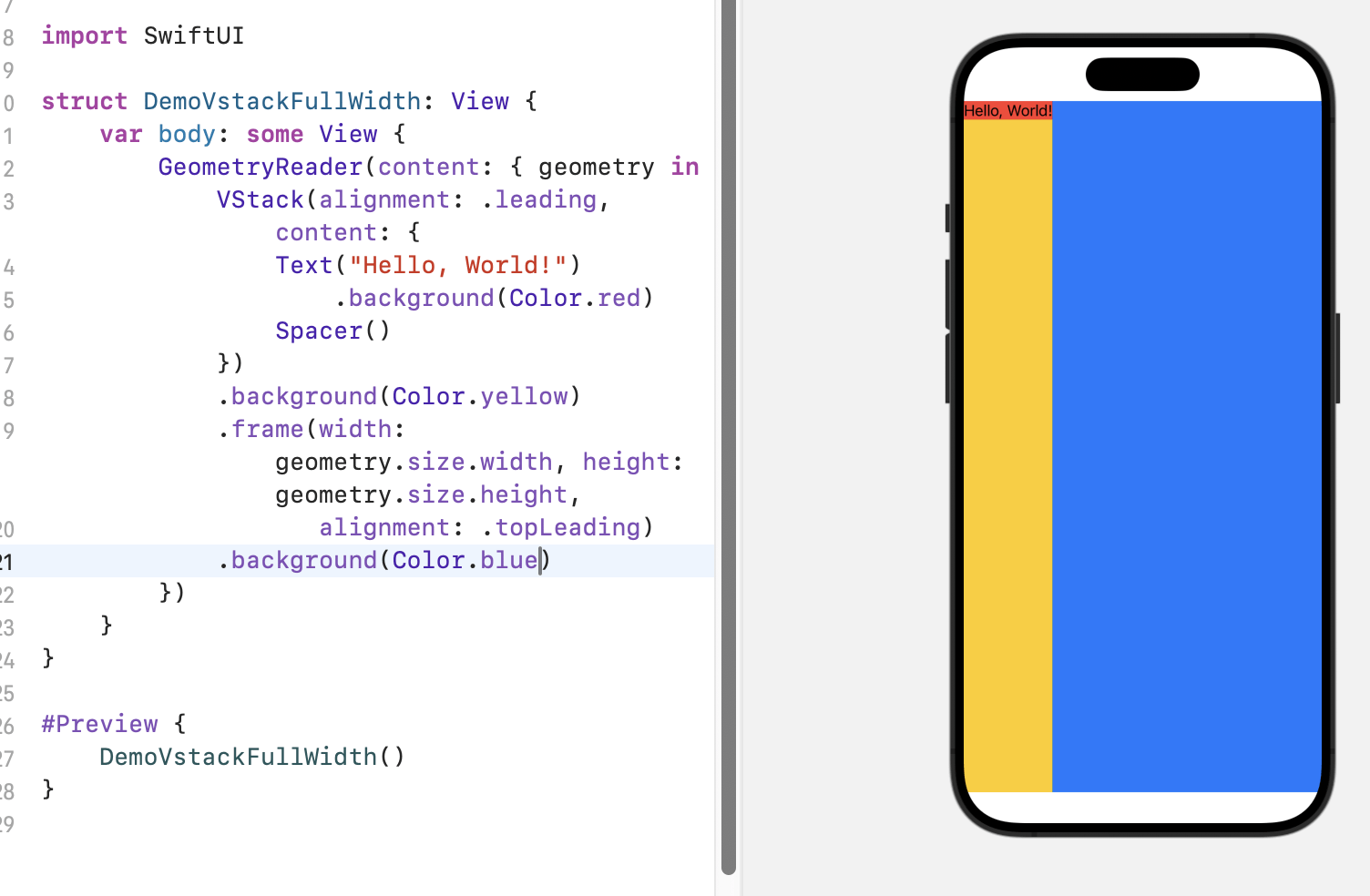
swift
import SwiftUI

struct DemoVstackFullWidth: View {
    var body: some View {
        GeometryReader(content: { geometry in
            VStack(alignment: .leading, content: {
                Text("Hello, World!")
                    .background(Color.red)
                Spacer()
            })
            .background(Color.yellow)
            .frame(width: geometry.size.width, height: geometry.size.height,
                   alignment: .topLeading)
            .background(Color.blue)
        })
    }
}

#Preview {
    DemoVstackFullWidth()
}
import SwiftUI
struct DemoVstackFullWidth: View {
var body: some View {
GeometryReader(content: { geometry in
VStack(alignment: .leading, content: {
Text("Hello, World!")
.background(Color.red)
Spacer()
})
.background(Color.yellow)
.frame(width: geometry.size.width, height: geometry.size.height,
alignment: .topLeading)
.background(Color.blue)
})
}
}
#Preview {
DemoVstackFullWidth()
}Overlay
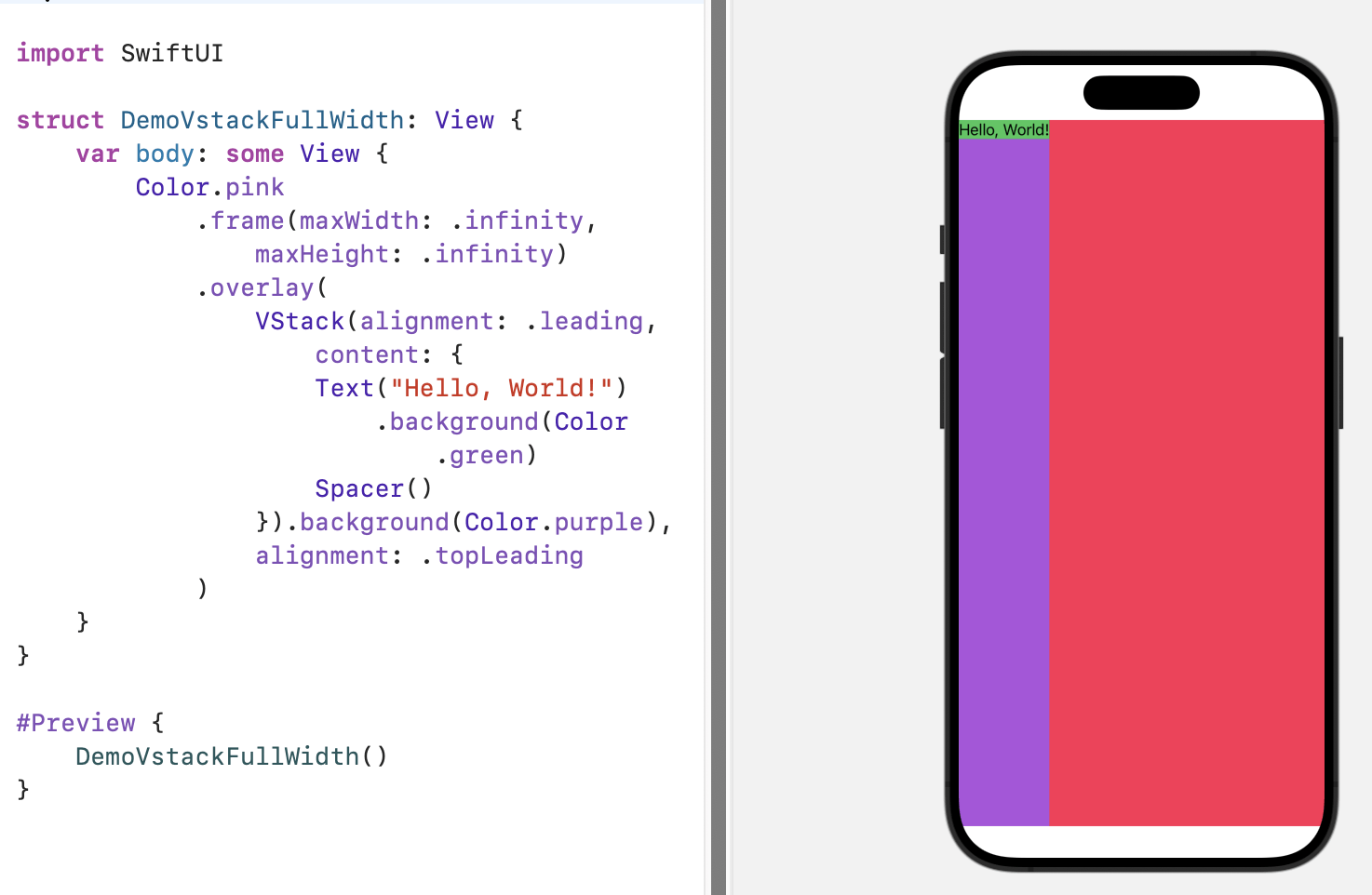
swift
import SwiftUI
struct DemoVstackFullWidth: View {
    var body: some View {
        Color.pink
            .frame(maxWidth: .infinity, maxHeight: .infinity)
            .overlay(
                VStack(alignment: .leading, content: {
                    Text("Hello, World!")
                        .background(Color.green)
                    Spacer()
                }).background(Color.purple),
                alignment: .topLeading
            )
    }
}

#Preview {
    DemoVstackFullWidth()
}
import SwiftUI
struct DemoVstackFullWidth: View {
var body: some View {
Color.pink
.frame(maxWidth: .infinity, maxHeight: .infinity)
.overlay(
VStack(alignment: .leading, content: {
Text("Hello, World!")
.background(Color.green)
Spacer()
}).background(Color.purple),
alignment: .topLeading
)
}
}
#Preview {
DemoVstackFullWidth()
}